Documentation
Docs hub
Install, import an official LinkedIn CSV, draft, copy, and send yourself. CareerHound never logs into LinkedIn. See Trust.
Getting Started
From zero to Hub on Windows, macOS, or Linux.
1. Install
- Python 3.10+ from python.org (Windows: add to PATH).
- Open the project folder.
- Windows:
CareerHound.bat/Launch.bat/.\launch.ps1. macOS / Linux:./careerhound.shor./launch.sh.
First launch creates .venv, installs packages, creates config.json if missing, then starts the Hub. CareerHound never logs into LinkedIn.
Install only (no Hub): ./launch.sh --no-hub or .\launch.ps1 -NoHub.
Offline demo (mock Action Queue, dashboard KPIs, and jobs): ./launch.sh --demo, ./careerhound.sh --demo, or LIA_DEMO=1. Sign-in gate shows CareerHound branding with demo@demo.com prefilled. See Demo mode.
2. First-run wizard
- System check.
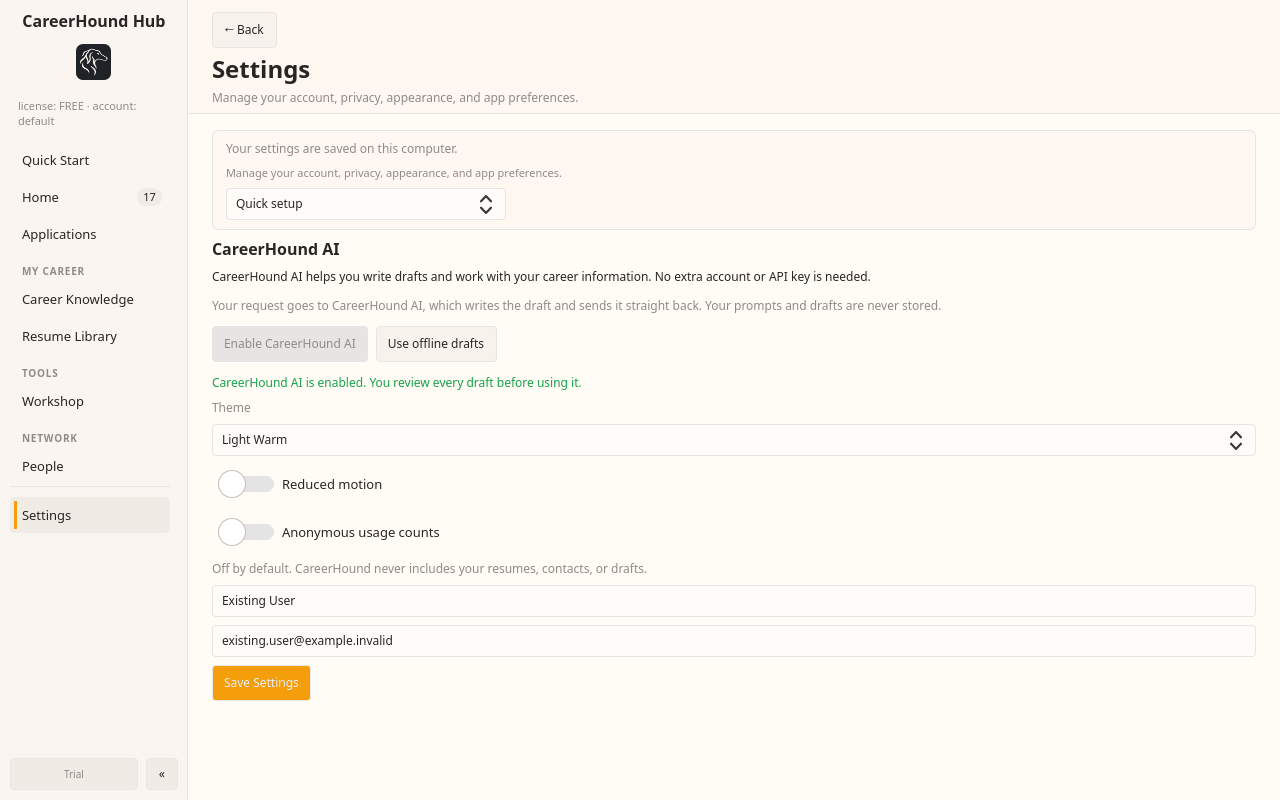
- Pick AI provider (Claude / Ollama / Groq).
- Profile / resume context in Hub Settings.
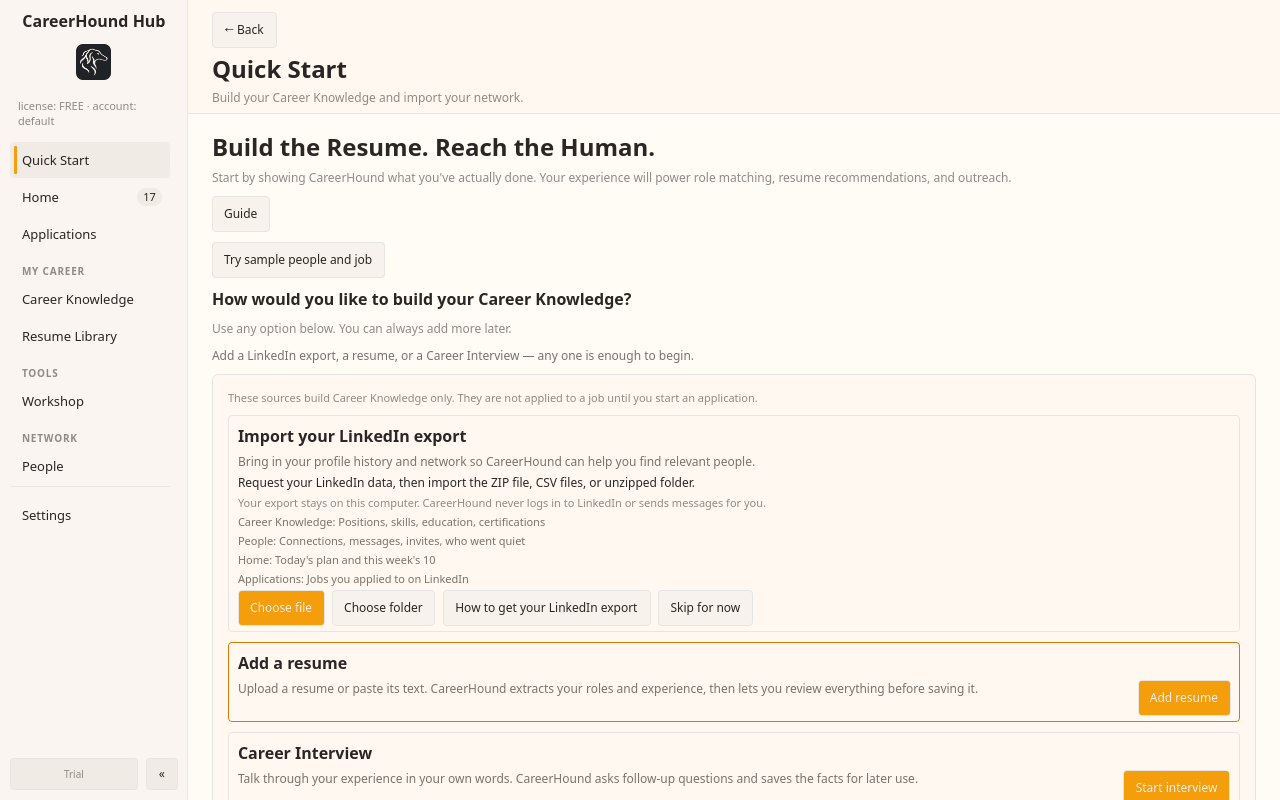
- Import an official LinkedIn CSV (or skip and paste a profile later).
python setup_first_run.py python setup_first_run.py --offline-dryrun
3. Daily workflow in the Hub
- Dashboard: 7-day proof and shortcuts.
- Action Queue: edit drafts, Copy, Open profile in your browser, you click Send.
- CRM / pipeline: contacts from CSV, stages you update.
- Resume tailor (Pro): align bullets to a job description.
- Analytics: A/B bars and heatmap from logs you keep.
4. License key (Pro / Team)
- Buy on the pricing page (FastSpring checkout).
- After payment, FastSpring posts to the license server webhook and a key is emailed.
- Open Hub → License tab → paste key → Activate.
Free: sign in with email on first launch (one email per machine). Personal non-commercial use.
5. Updates
python updater.py --check python updater.py --apply python updater.py --force --check
Private GitHub repo: set github_token in config.json. Never commit that file.
Linux Hub keyboard
On Linux, the Hub sets XMODIFIERS=@im=none (and simple GTK/Qt IM modules) for its own process so Tk does not lose letter keys to IBus/XIM. Other apps keep your normal input method. If Hub fields still ignore typing, relaunch via ./launch.sh.
Demo mode
Offline product tour with mock data. No LinkedIn login and no real sends (you still would copy/paste in a real run).
Start
./careerhound.sh --demo ./launch.sh --demo # Windows: CareerHound.bat --demo Launch.bat --demo # or set env, then launch Hub: LIA_DEMO=1 ./launch.sh python careerhound_hub.py --demo
Flag or env: --demo or LIA_DEMO=1 (also accepts true / yes / on).
What you see
- CareerHound sign-in gate with
demo@demo.comprefilled; Start Free continues offline (no license server). - DEMO MODE badge in the Hub title bar.
- Mock Action Queue from
demo/mock_profiles.json(viademo_mode.py). - Mock dashboard KPIs from
demo/mock_dashboard.json. - Mock job listings from
demo/mock_jobs.json. - Copy / Open profile work on mock rows. Nothing contacts LinkedIn.
Use this for screenshots, walkthroughs, and local UI checks without a data export.
CSV import
Official LinkedIn “Get a copy of your data” export only. This is the inbound path. See Trust.
Download from LinkedIn
- LinkedIn → Settings → Data privacy → Get a copy of your data.
- Request the archive. Wait for LinkedIn’s email.
- Unzip. Typical files:
Connections.csv,Invitations.csv,messages.csv.
Import in the Hub
Hub → Import (or python csv_import.py) → pick the CSV. Contacts land in the CRM / master workbook. Paste-a-profile is the one-off path when you do not want a full export.
python csv_import.py --connections Connections.csv python csv_import.py --invitations Invitations.csv python csv_import.py --messages messages.csv
CareerHound never opens linkedin.com to collect this data.
Action Queue
Drafts with Copy and Open profile. You send in your own browser.
- Copy: puts the note on the clipboard.
- Open profile:
webbrowser.openin your default browser. You click Connect / Send yourself. - Edit, skip, or regenerate before you copy.
There is no “send all” that talks to LinkedIn. If a button looks like send, it is a draft status on your local log after you mark it sent.
Configuration
Primary file: config.json (start from config.example.json). Edit in Hub Settings or a text editor. Do not commit secrets.
AI provider
ai_provider:ollama(default),claude, orgroq.ollama: URL (defaulthttp://localhost:11434) and model (for exampleqwen2.5:14b).claude/groq: API key and model fields stay local.
If Ollama is down, note generation falls back to templates so you can still copy a draft.
Personal / outreach identity
Under personal: school, certs, labs, program, target roles, location, resume path. Used only to ground drafts. Not a LinkedIn login.
Priority scoring
scoring weights: title keywords, recruiter relevance, location match, recency, company priority. The classifier and queue picker use these scores on imported contacts.
CRM Export
crm_export.py reads the contacts workbook and sanitized pipeline metrics. It never touches LinkedIn or browser profiles.
Formats
hubspot: HubSpot contacts CSVsalesforce: Salesforce leads CSV (Data Loader API names)pipedrive: Pipedrive persons CSVjson: generic JSON (contacts + pipeline summary)
CLI
python crm_export.py --format hubspot --out exports/ python crm_export.py -f salesforce -o exports/ python crm_export.py -f pipedrive -o exports/ python crm_export.py -f json -o exports/
Optional: --excel and --pipeline path overrides. Hub also exposes a CRM export action that runs the same script.
ATS profile
Local file. Align bullets to a job description. You accept variants and copy them yourself.
Hub → Resume → ATS has three tabs: a synopsis with examples, in-app AI output from your configured provider, and a manual tab to copy the same prompt into an external model and paste JSON back. Company and role are optional labels — the module is not tied to one job title. Variants save to careerhound-profile.json on this machine. Templates → Resume Tailor remains the short “Why Interested” helper.
ACR / CAR / STAR
Same local profile file. Source experience stays stable; each rewrite records its parent wording.
Hub → Resume → ACR/CAR/STAR has three tabs: a framework guide (no AI), CareerHound AI (usage only when you click Transform), and Use Your Own AI (a copyable public prompt — zero CareerHound AI usage). Optional save of an external model’s result is stored as a manual variant and is not marked CareerHound-verified.
Resume Builder
Same local profile file. Select stored bullets. No AI.
Hub → Resume → Resume Builder copies original, ATS, and ACR wordings from careerhound-profile.json into a current resume draft. Role-scoped libraries use existing company_id / role_id values, not the display titles you edit. Export Word (Times New Roman 12pt) or PDF locally. Details: the repo file docs/RESUME_BUILDER.md.
Historic Resume Uploads
Same local profile file. Deterministic parse. No AI.
Hub → Resume → Historic Resume Uploads stores PDF/DOCX copies, shows a review screen, then adds Original bullets to career_inventory with provenance. Exact duplicate files are warned by content hash. Exact same-role/same-text bullets are reused rather than duplicated. Details: the repo file docs/HISTORIC_RESUMES.md.
Cover Letters
Evidence-based. Optional letters are not automatic. No company web research.
Hub → Resume → Cover Letters asks whether a listing requires a letter, then helps draft one from the job description and the exact resume you will submit (Resume Builder, Historic Uploads, career inventory, or paste). Optional contact override replaces name, email, phone, or LinkedIn on the letter only. CareerHound AI, a copyable External AI prompt, or an AI-Free worksheet. Additional Context is stored separately from resume evidence. Letters are adapted to the applicant's actual career stage and the profession in the posting, not a consulting template. Times New Roman 12pt, US Letter, one page. Details: the repo file docs/COVER_LETTERS.md.
LinkedIn Engagement Guide
Educational. No AI. You choose who to contact and how.
Hub → Network → LinkedIn Engagement Guide explains recruiter/HR versus manager/employee conversations, connection-request considerations, and possible paths toward insight, visibility, introductions, or referrals. It does not generate messages, send outreach, scrape LinkedIn, or prescribe a contact count or cadence. Contacts and Templates link here. Details: the repo file docs/LINKEDIN_ENGAGEMENT_GUIDE.md.
Webhooks
Two different paths: product notifications (your Slack/Discord), and FastSpring license delivery (seller to license server).
Slack / Discord / generic
Configure in config.json → notifications.webhooks:
"notifications": {
"webhooks": [
{
"url": "https://hooks.slack.com/services/...",
"events": [
"daily_summary",
"error_alert"
],
"format": "slack"
}
]
}
Formats: slack, discord, generic. Test helpers:
python notifications.py --test https://example.com/hook --format slack python notifications.py --daily-summary
FastSpring (license keys)
Website checkout uses FastSpring. After purchase, FastSpring POSTs to license_server.py at POST /fastspring/webhook (alias /fastspring). The server verifies X-FS-Signature when fastspring.webhook_secret is set, issues a key, and emails it.
Activate in the product: Hub → License → Activate. Do not replace FastSpring on the marketing site with another processor.
Self-hosting the license server
license_server.py is stdlib http.server (not Flask). It serves activation, heartbeat, free-seat binding, and FastSpring webhooks on port 8787. Ops guide: repo deploy/README.md.
Until a VPS exists (local)
bash deploy/run_server.sh # Windows: deploy\run_server.bat curl -s http://127.0.0.1:8787/health cd website && python3 -m http.server 8935 # open http://127.0.0.1:8935/
Point Hub license.server_url at http://127.0.0.1:8787 for local tests. Do not point FastSpring at localhost.
Docker Compose quick start
cd deploy chmod +x setup.sh ./setup.sh nano .env docker compose up -d --build curl -s http://127.0.0.1:8787/health
Never commit deploy/.env, keys/license_priv.pem, or the license store. Ship license_pub.pem with Hub builds. More detail: deploy/README.md.
Prompt Packs
Local packs under prompt_packs/. Bundled examples include job_seeker, recruiter, and sales. Free license unlocks the job-seeker pack; Pro unlocks the rest.
Resolution order
prompts/<key>.txt(user override)config.json→prompts.<key>prompt_packs/<active_pack>/<key>.txt- Built-in defaults in
prompt_templates.py
Set active pack with "prompt_pack": "job_seeker" or Hub → Settings → Packs.
Marketplace CLI
python prompt_marketplace.py list python prompt_marketplace.py export job_seeker -o . python prompt_marketplace.py import ./my_pack.zip
Zip import refuses path traversal; only http/https URLs; size capped. There is no cloud store or pack payments yet.
CLI Reference
Prefer ./launch.sh / CareerHound.bat to open the Hub.
| Command | Purpose |
|---|---|
./launch.sh / Launch.bat |
Bootstrap venv and open Hub |
./careerhound.sh --demo |
Offline demo: mock data, demo@demo.com gate |
careerhound_hub.py |
GUI Hub; --demo |
setup_first_run.py |
Interactive first-run; --offline-dryrun |
csv_import.py |
Official LinkedIn CSV export → CRM |
crm_export.py -f ... |
HubSpot / Salesforce / Pipedrive / JSON export |
prompt_marketplace.py ... |
list / export / import packs |
notifications.py |
Test Slack/Discord webhooks; daily summary |
updater.py --check|--apply |
GitHub release updates |
license_server.py |
Activate/heartbeat + FastSpring webhook (ops) |
Troubleshooting
Common failures and the fix that usually works.
Hub typing broken on Linux (letters ignored)
Relaunch so process-level XMODIFIERS=@im=none applies: ./launch.sh. Numpad-only typing is the classic IBus/XIM clash this targets.
Ollama / AI notes fail
Confirm ollama serve and the model name in config. Switch ai_provider, or rely on template fallbacks.
CSV import looks empty
Use LinkedIn’s official archive, not a hand-copied sheet. Connections exports often have a notes header of several lines; the importer skips that preamble. Re-download if the file is truncated.
License key not arriving
Check spam; confirm the FastSpring order completed; the seller must expose license_server.py at /fastspring/webhook with a valid webhook secret. Once you have a key, paste it in Hub → License → Activate.
Deploy this marketing site
Cloudflare Pages (or similar): connect the repo, set root directory to website/, production branch main.